

 THE WEDDING DAY
FOR THE BIG DAYS
A whole day. One living album.
The vows, the happy tears, the dance floor. Keep the photographs and the moments around them together.
Create an albumPhotos, frames & albums. Brought to life.
Your favourite photo, with a little more life inside. Connect it to a video, share your album, and bring the moment back with a simple scan.
A PHOTO IS JUST THE BEGINNING
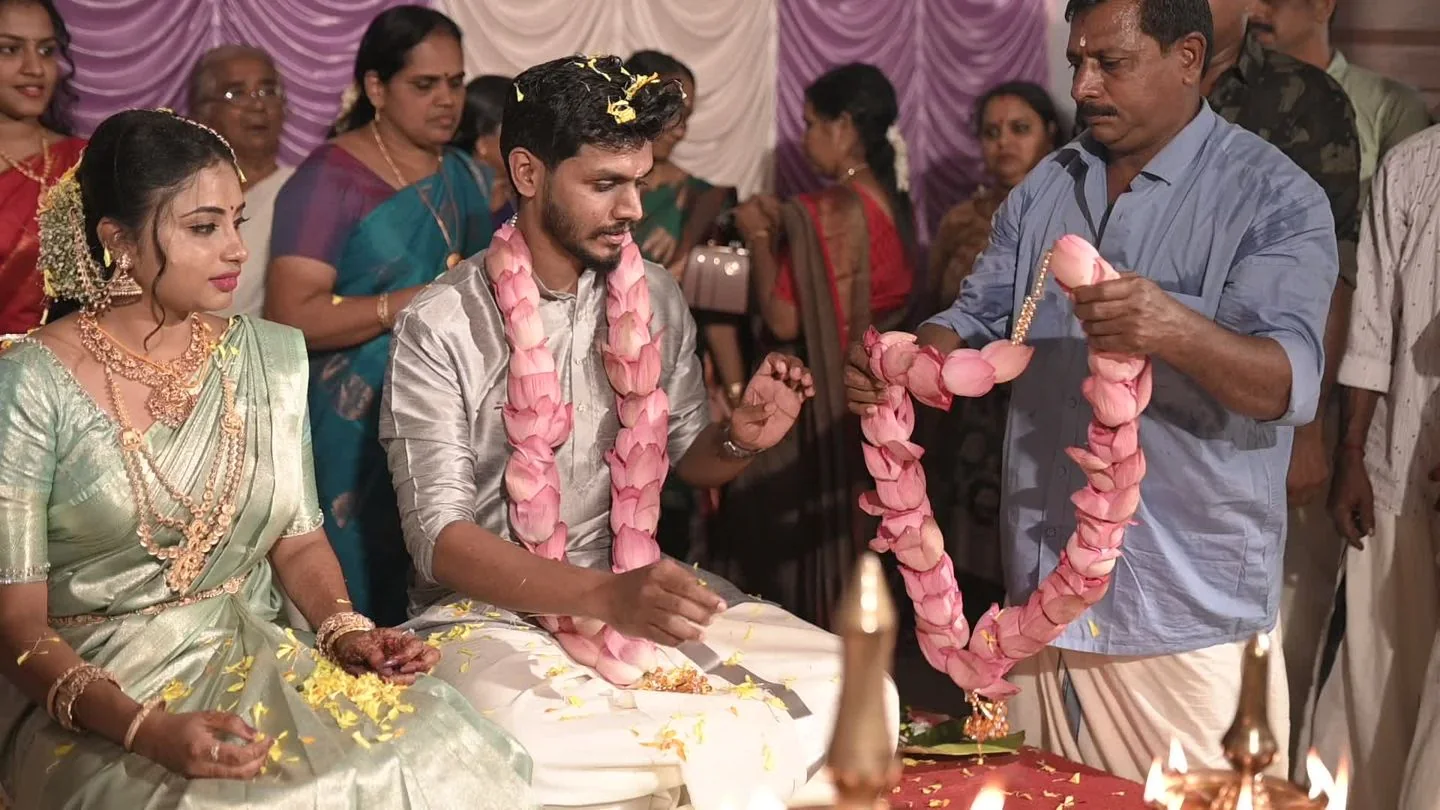
Press play on this wedding photograph. The laughter, the voices, the little moments — all there to come back to.
Try the memory. Turn the sound on.A ten-second scene from a South Indian wedding ceremony, showing the couple and family gathered around them.
SOME THINGS ARE TOO GOOD TO FORGET
On the coffee table. Beside the bed. In someone’s hands. Add a story to the photographs you already love.
FOR THE BIG DAYS
The vows, the happy tears, the dance floor. Keep the photographs and the moments around them together.
Create an albumFOR YOUR FAVOURITE CORNER
Pair a single framed photograph with a video worth coming back to. A little more of the people you love.
Start with one photoFOR SOMEONE SPECIAL
Add a video message to a meaningful photograph. Share a birthday wish, an anniversary, or a simple thank you.
Make a memoryYour own photos, prints and frames. Knotclick brings the video connection.
FROM A STILL PHOTO TO A WHOLE STORY
Start with a favourite photo and the video that belongs with it. Create an album or a single-photo frame.
Pair your photo and video in your studio. Finish the upload checks and preview the memory before publishing.
Share your published album. Viewers scan a photograph to play only its linked video.
FOR PHOTOGRAPHERS & MEMORY MAKERS
Create living albums for your customers, add your studio name, and make every delivery a little more personal.
A FEW THINGS YOU MIGHT WONDER
Practical answers, so you know what to expect.
Talk to usIt is a photograph paired with a video. You keep the still image and the sound and movement around that moment together in a Knotclick album.
Open the Knotclick scanner and allow camera access. Keep the whole photograph in view to play only its linked video. A temporary grayscale sample is checked securely; albums and other photographs are not shown.
Use the scanner-ready photograph for your published edition, and keep the same crop. Preview the photo and test the finished print on a phone before giving it to someone. For an album prepared by a studio, use the print they provide.
Albums start private. Private invitations require sign-in. If you enable public scanning, someone with a photograph can scan it to watch its linked video without an account. Your album and other photographs are not publicly browsable. You choose this for each album.
The Knotclick viewer and scanner work in a browser, so an app download is not required. An internet connection is needed for scanning and video playback. Offline albums are not currently available.
Yes. Create albums for your customers and add your studio name. If you need a commercial plan, talk to us about your volume and storage needs. Public pricing, physical-product checkout and lifetime-access plans are not available.
FOR THE MOMENTS THAT STAY WITH YOU
Start with a photo you love. Give its story a home.
Create your first memory Already have an album? Open it here